 Edit or click the name of the composition template you want to edit. The Composition Template Details page is displayed.
The Composition Template Details Page
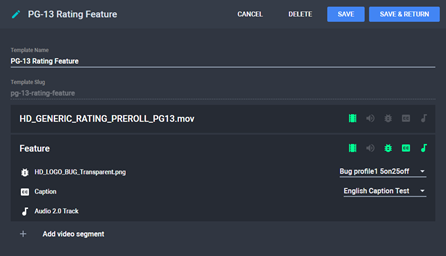
Click Save to save changes and continue editing the composition template or Save & Return to save changes and return to the Composition Templates menu.