Editing a Job
To edit a job:
From the
Jobs
menu, click
Edit
for the job you want to edit. The
Job Details
page is displayed.
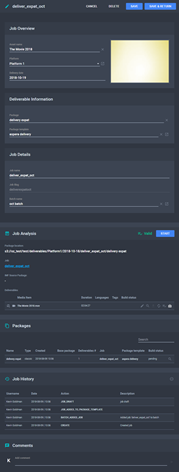
The Job Details Page
Make the desired changes. See
Fields on the Job Details Page
.
Click
Save
to save changes and continue editing or click
Save & Return
to save changes and return to the
Jobs
menu.
See Also
About the Jobs Menu
Fields on the Jobs Menu
About Job Details
Fields on the Job Details Page
Creating a New Job
Converting IMF to Flat Using Jobs
Deleting a Job
 Edit
for the job you want to edit. The Job Details
page is displayed.
Edit
for the job you want to edit. The Job Details
page is displayed.
 Edit
for the job you want to edit. The Job Details
page is displayed.
Edit
for the job you want to edit. The Job Details
page is displayed.